
Staff a new project
Create the project with Billing set so revenue calculates, then add people with + Add person (or + Reserve capability) and enter their weekly planned hours. Workload updates immediately as you save.
Who can do this Owner, Admin, or Manager to create projects. Editing assignments on a project requires Owner or Admin assignment
permissions, or being the project's Project Manager or Account Manager. Staffing is Owner and Admin only.
Steps
Open the new project dialog
On Projects, select New Project (or press N P / run Create new project from the command menu).
Fill in required project fields
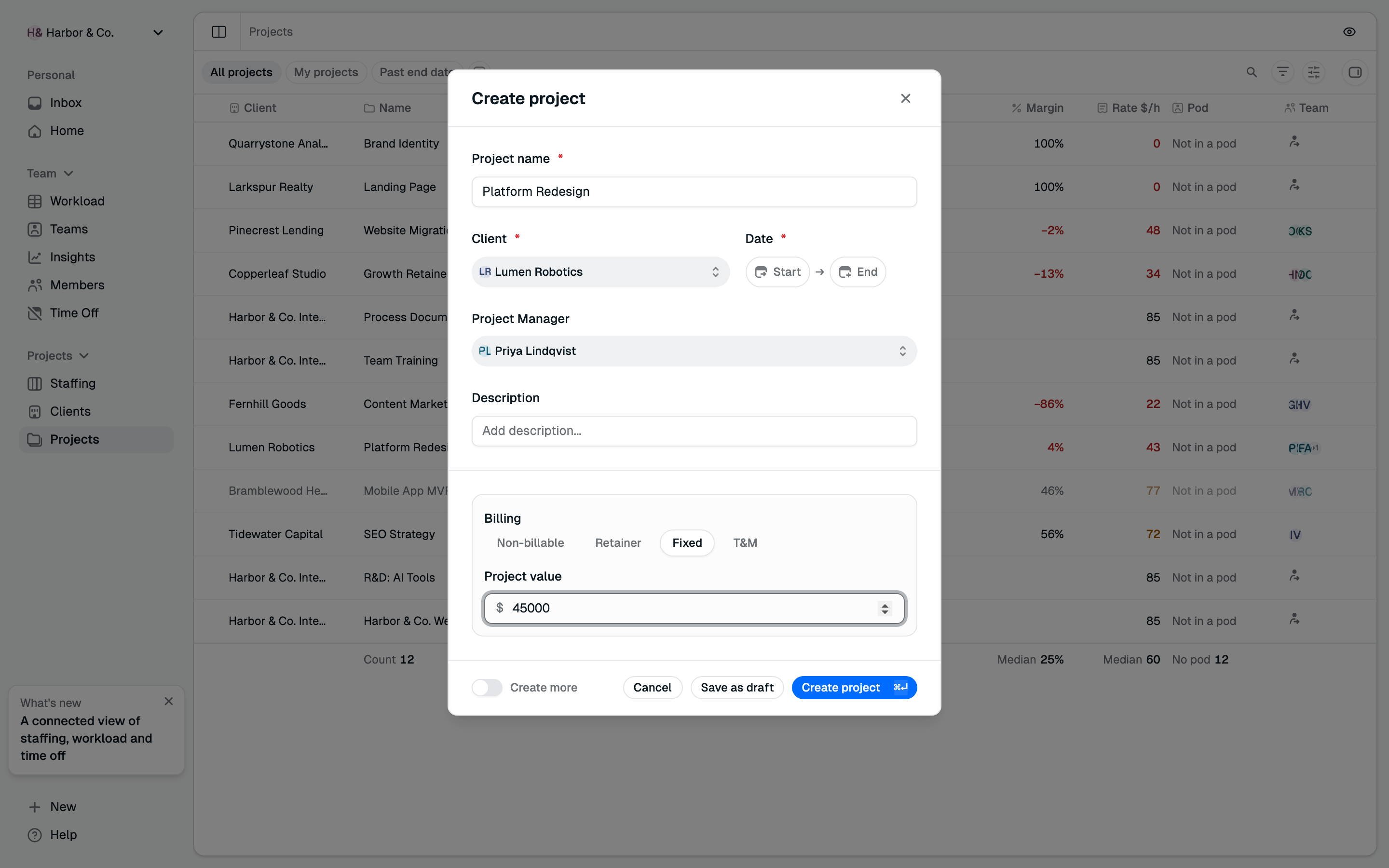
Enter Project name, select a Client (or choose Create new client...), and set Date (start and end dates, or use Or set duration in months). Optionally pick a Project Manager and add a Description.
Set Billing so revenue shows
Billing defaults to Non-billable. Change it to Retainer (enter Monthly amount), Fixed (enter Project value), or T&M (enter Hourly rate), then select Create project (or Save as draft).
Add people or reserve capabilities
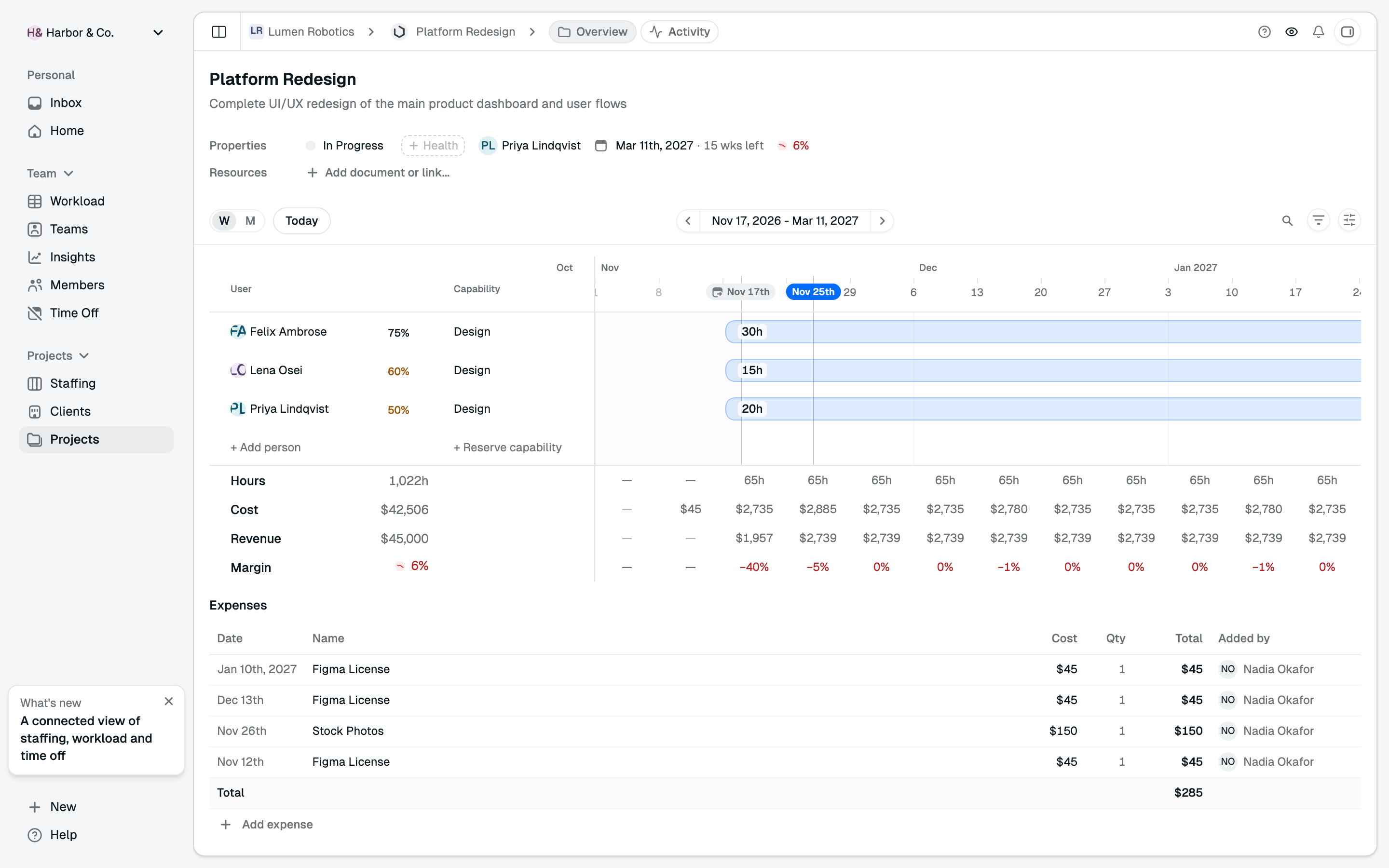
On the project page, select + Add person to staff a named teammate (for example, Owen Calloway) or + Reserve capability to hold a placeholder slot. Then drag across the weeks on the new row to add hours. Each new span starts at 10 hours per week.
Adjust weekly planned hours
Edit the hours in each Sunday-start week cell across the Project timeline to match your delivery plan.
What you'll see
- Project timeline: each staffed person's weekly planned hours across the project window, plus Unassigned rows for capability reservations and onboarding placeholders.
- Over-capacity warning: if a person goes above 100% in any week, the project timeline flags "Over capacity in N of M weeks".
- Weekly financial rows: if you have financial visibility and the project is billable, weekly Hours, Cost, Revenue, and Margin appear below the timeline.
Staff several projects at once
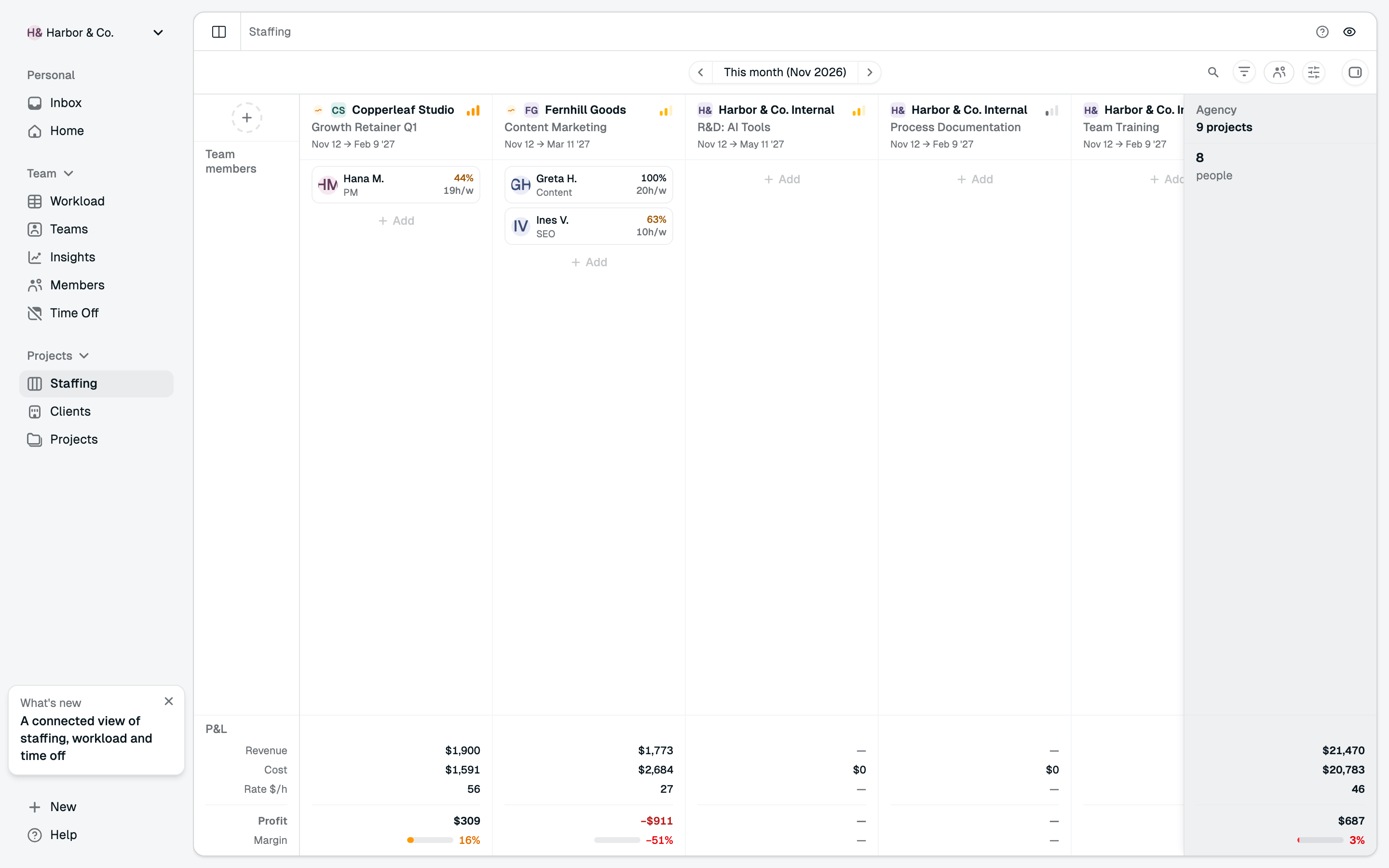
Owners and Admins can plan across all active projects on Staffing in the sidebar.
- Press
bor select Open bench to open the bench panel of available teammates. - Drag a person onto a project column, check their Bill rate per hour and capacity warning (the modal flags "· over capacity" if they exceed 100%), and select Confirm assignment.
- Use the bottom P&L rows and Agency Summary column to check monthly Revenue, Cost, and Rate $/h as you staff.
Billing types at a glance
- Non-billable: $0 revenue; Revenue and Margin rows stay hidden on the project page.
- Retainer: requires Monthly amount, prorated by days in the window divided by days in the month.
- Fixed: requires Project value, spread across project days.
- T&M: uses the bill-rate chain per working day, falling back to the project's Hourly rate. See How the numbers work.
Common gotchas
- Opening Staffing shows Page not found ("This page doesn't exist or you don't have access to it"): Staffing is restricted to Owners and Admins. Managers, PMs, and AMs should staff directly on each project page instead.
- "No one is assigned yet" or "Work is assigned outside the selected dates.": either nobody has hours on the project yet, or assignments fall outside the date range shown. Adjust the visible date range or select Assign team member.
- Revenue rows do not appear after creating a project: Billing defaults to Non-billable. Open the project's billing settings and switch to Retainer, Fixed, or T&M with an amount or rate.
- "No cost rate for user" appears in the Confirm assignment modal: that person has no cost rate set in Settings → Members. Add their Hourly rate so margin calculates accurately.
- Draft projects still fill people's Workload: both Draft and Planned projects count toward capacity. Only Completed and Cancelled projects stop counting.