
A New Home, Google Calendar Sync, and Smarter Search
Redesigned home page, Google Calendar OOO sync, public holidays, and intelligent command palette search
/dashboard /home
Your home page has been completely redesigned. Managers get a full dashboard with project health, team availability, and pending requests — click on any item to open its details in the new inspector sidebar without leaving the page.
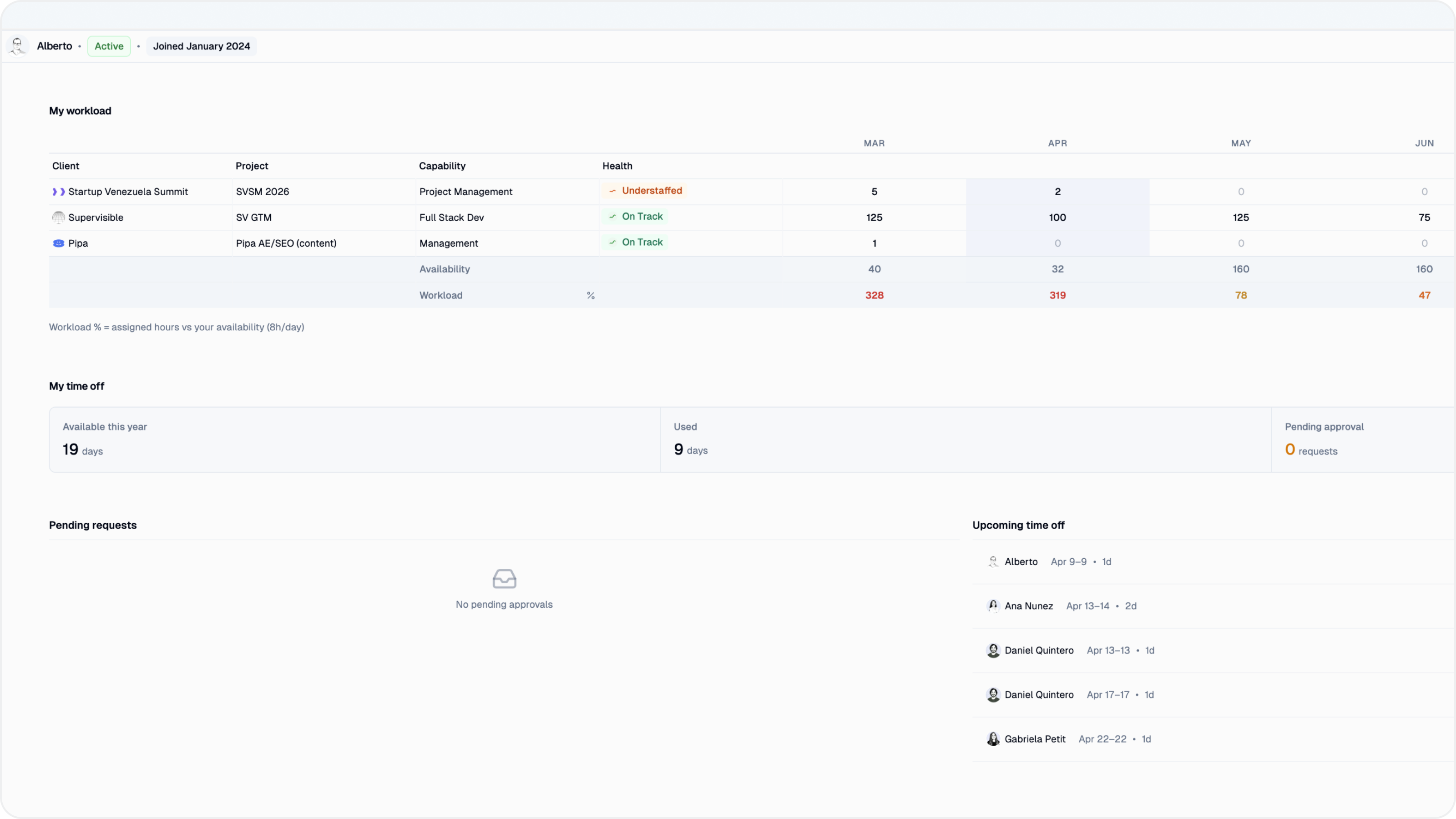
Team members see a focused view of their own projects, upcoming time off, and weekly hours — everything you need in one place.
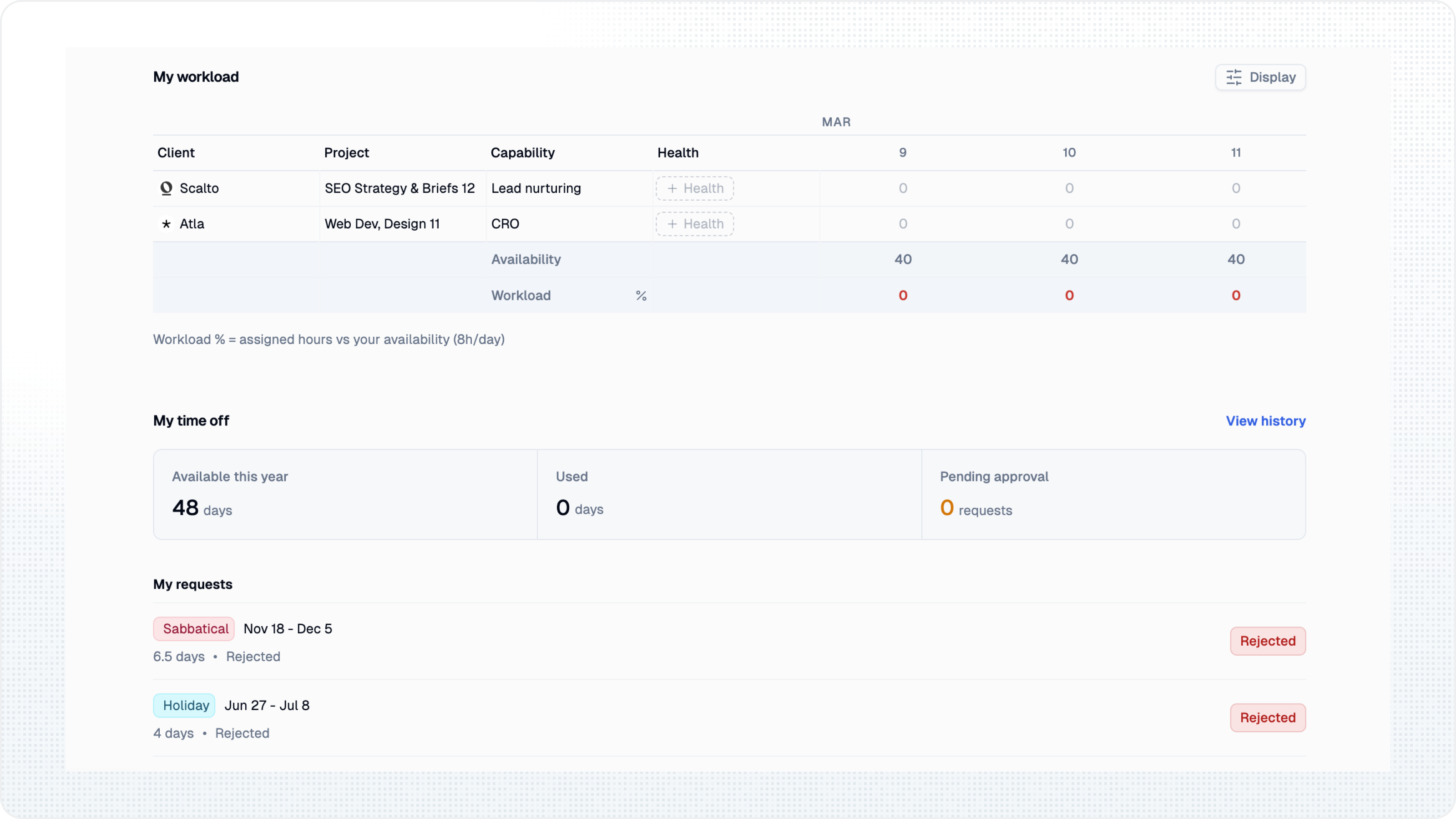
Time Off
Two big additions to time-off management:
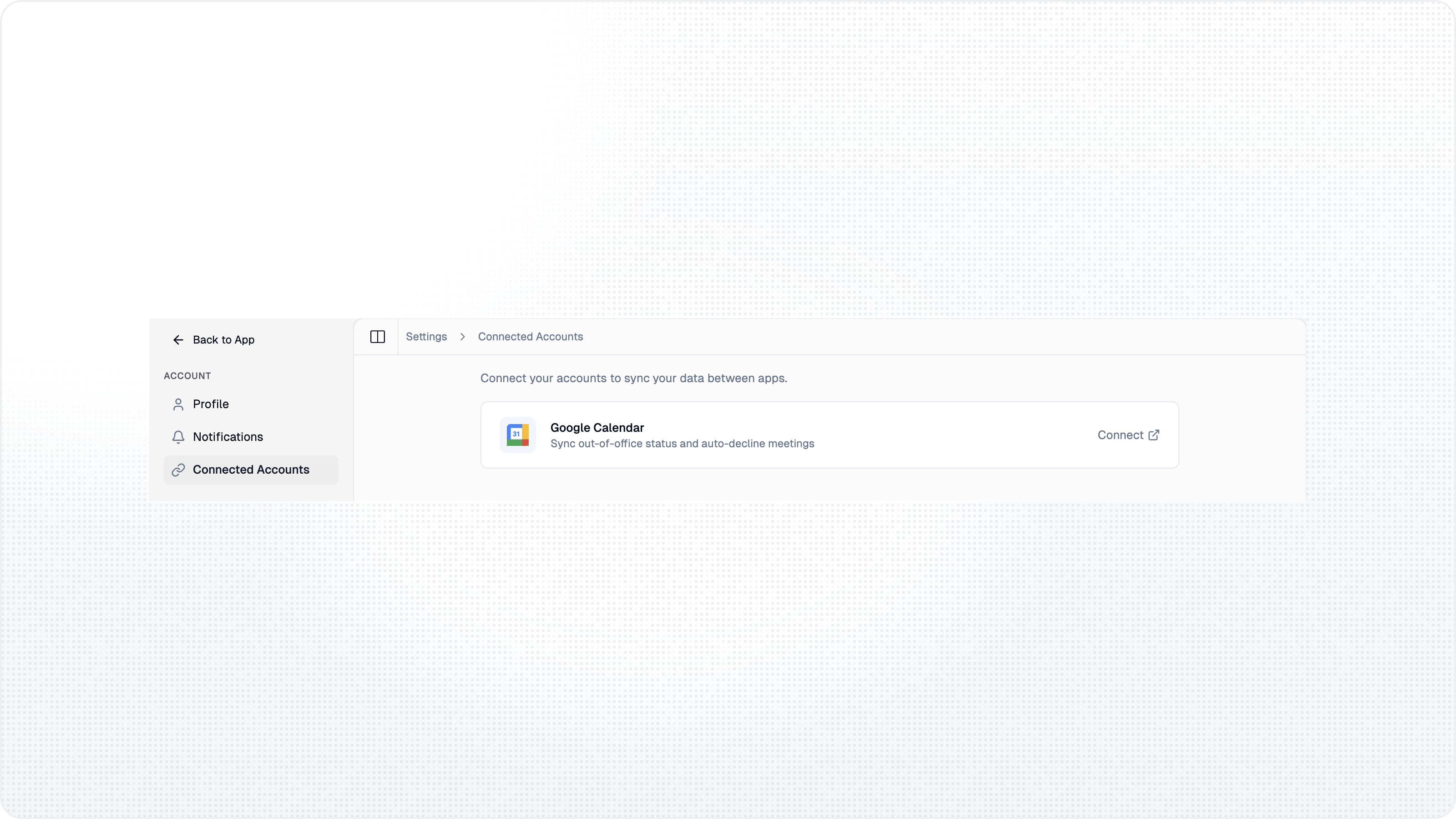
- Google Calendar sync — approved full-day time-off requests can create out-of-office events in the person’s connected Google Calendar. Half-day requests are not synced
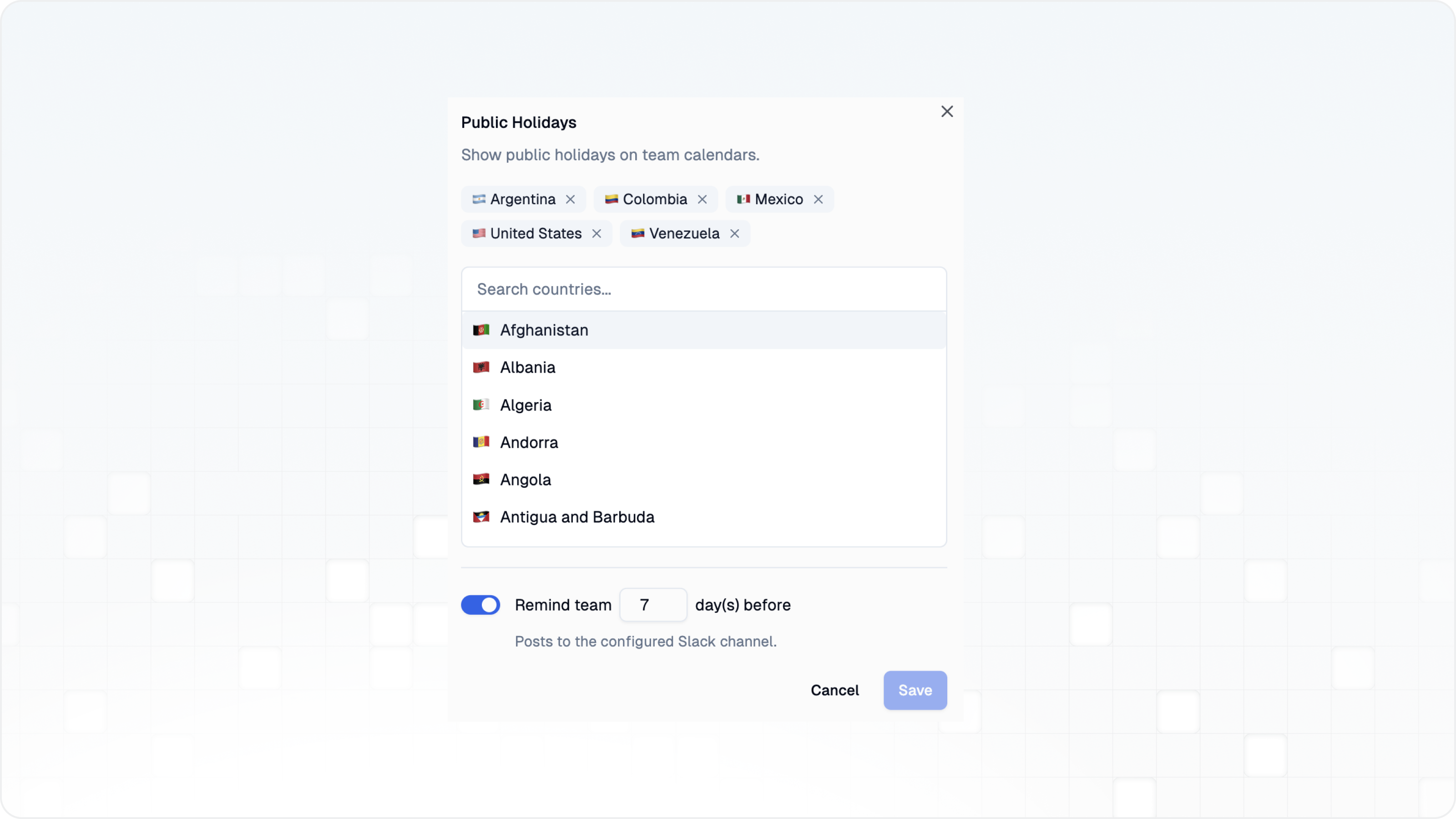
- Public holidays — set your country (or multiple countries for distributed teams) and see public holidays overlaid on the time-off calendar. Slack reminders notify your team before upcoming holidays
Search
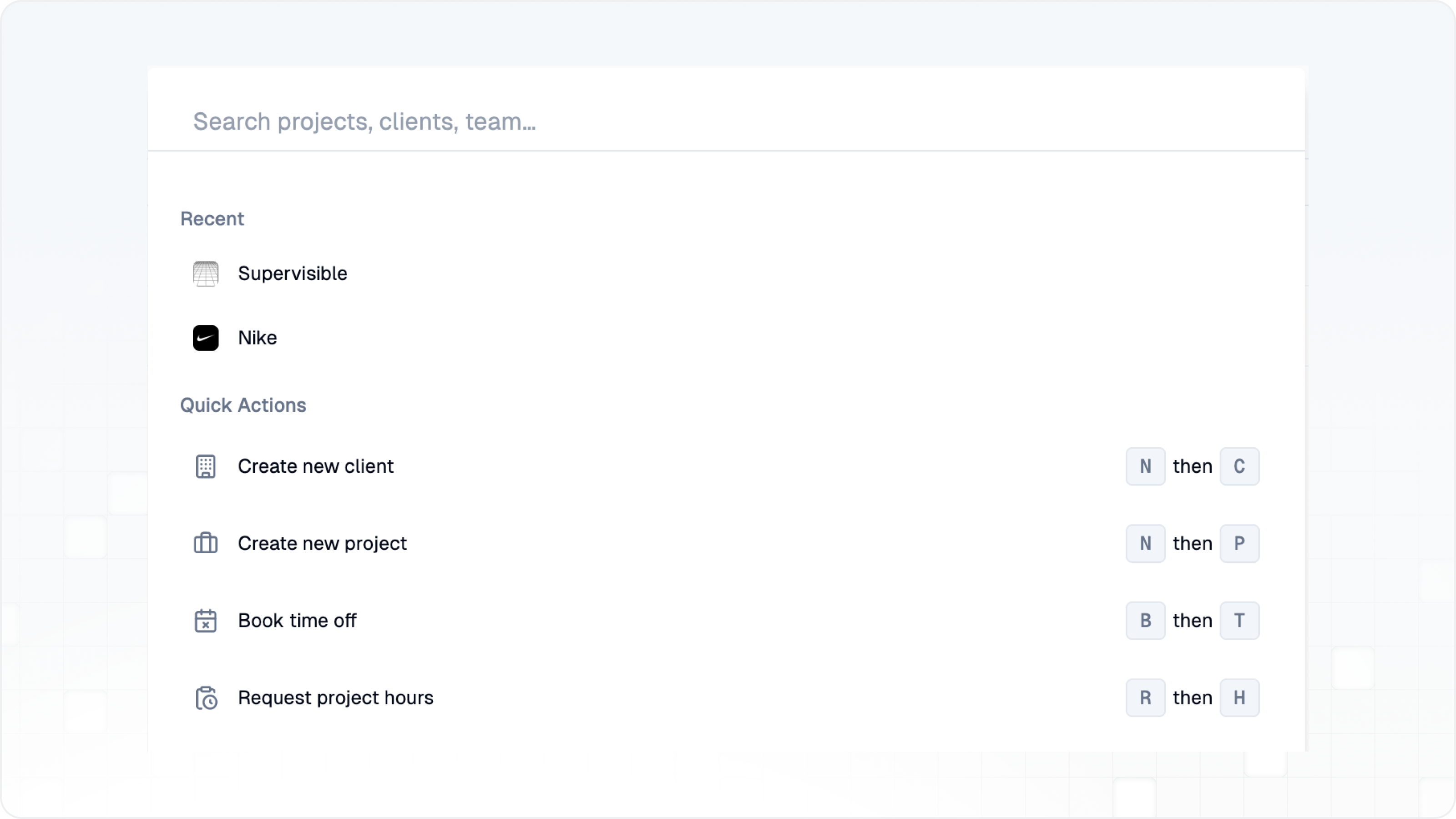
The command palette (CMD+K) should feel much faster and smoother. It now uses intelligent hybrid search that combines local results with server-side lookups. Start typing to instantly find projects, clients, team members, and more — results are faster and more relevant, even across large organizations.
Bug Fixes & Improvements
- Project health updates for all members — any team member assigned to a project can now post health updates, not just project leads
- Slack contextual panels — when a Supervisible link is shared in Slack, a rich preview panel shows project details, status, and key metrics
- What's New bubble — a changelog indicator in the sidebar shows when new updates are available
- Unified settings views — all settings tables have been migrated to a consistent list view
- Redesigned login page — a new split-screen layout with social proof
- Smart redirects — if you're already logged in and visit the marketing site, you're redirected straight to the app
- Workload drag-and-fill fix — resolved a column mismatch issue when using drag-and-fill, and financial data now updates live as you adjust hours
- Workload avatars — team members without a profile photo now show a proper placeholder instead of a broken image
- Extend project modal — fixed several bugs in the project extension dialog
- Avatar fallback — user avatars now fall back to showing the email address when no name is set
- Inspector toggle — restored the inspector toggle button on resource detail pages
- Mention rendering — @mentions now display correctly in read-only update views
- Time-off layout — the Reason column in the Pulse view no longer causes layout shifts with long text
- Security — added SSRF protection to URL fetching and aligned row-level security policies with the new RBAC system