
What's New — March 2026
Redesigned projects, allocations view, Slack integration, workload improvements
Redesigned projects list and detail view, a new allocations matrix, Slack integration, and a wave of workload and reliability improvements.
Projects
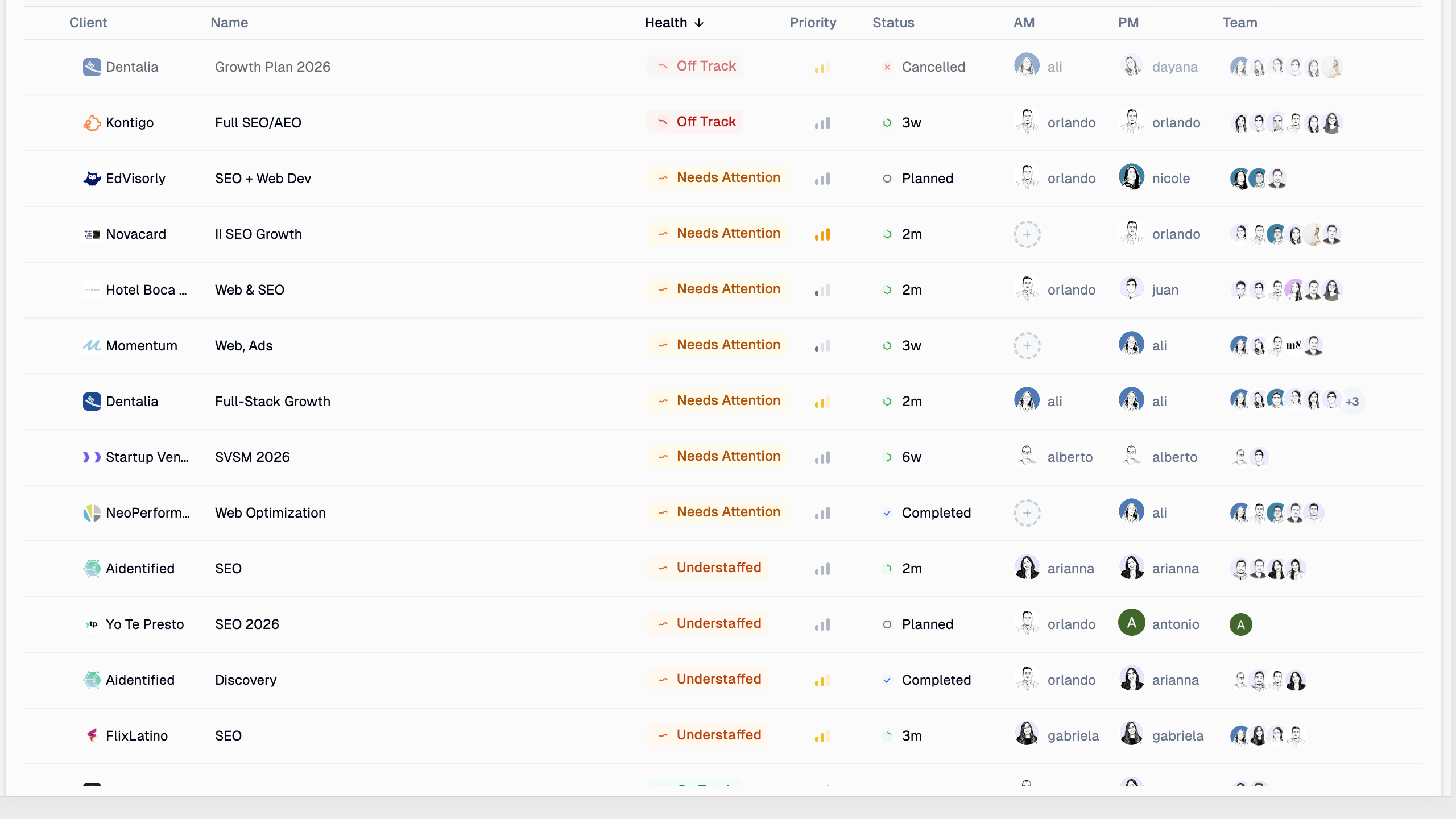
The projects list has been completely rebuilt with health indicators, sortable columns, and at-a-glance team assignments.
- Health and status columns — see which projects are off track, need attention, or are understaffed
- Sortable properties — sort by health, priority, status, or any other column
- Team visibility — AM, PM, and team members shown directly in the list
- Margin percentages — color-coded margin replaces the old cost column for clearer financial visibility
Project Detail
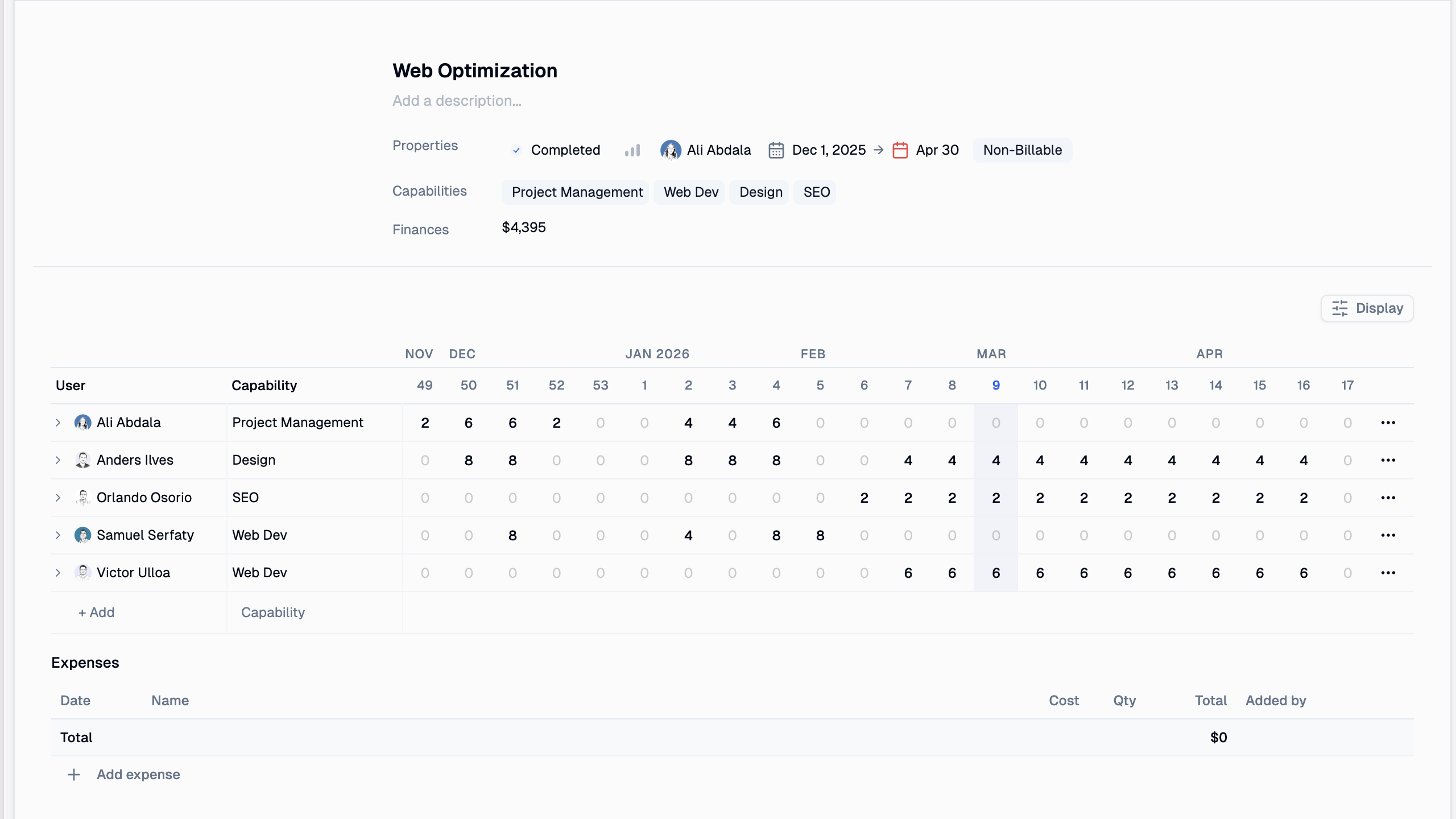
Each project now has a dedicated detail page with everything in one place.
- Properties header — status, priority, owner, dates, and billing type at a glance
- Capabilities — see which skills the project requires
- Weekly allocation grid — a per-member breakdown of hours by week, with current-week highlighting
- Expenses tracking — add and track project expenses directly on the project page
Allocations
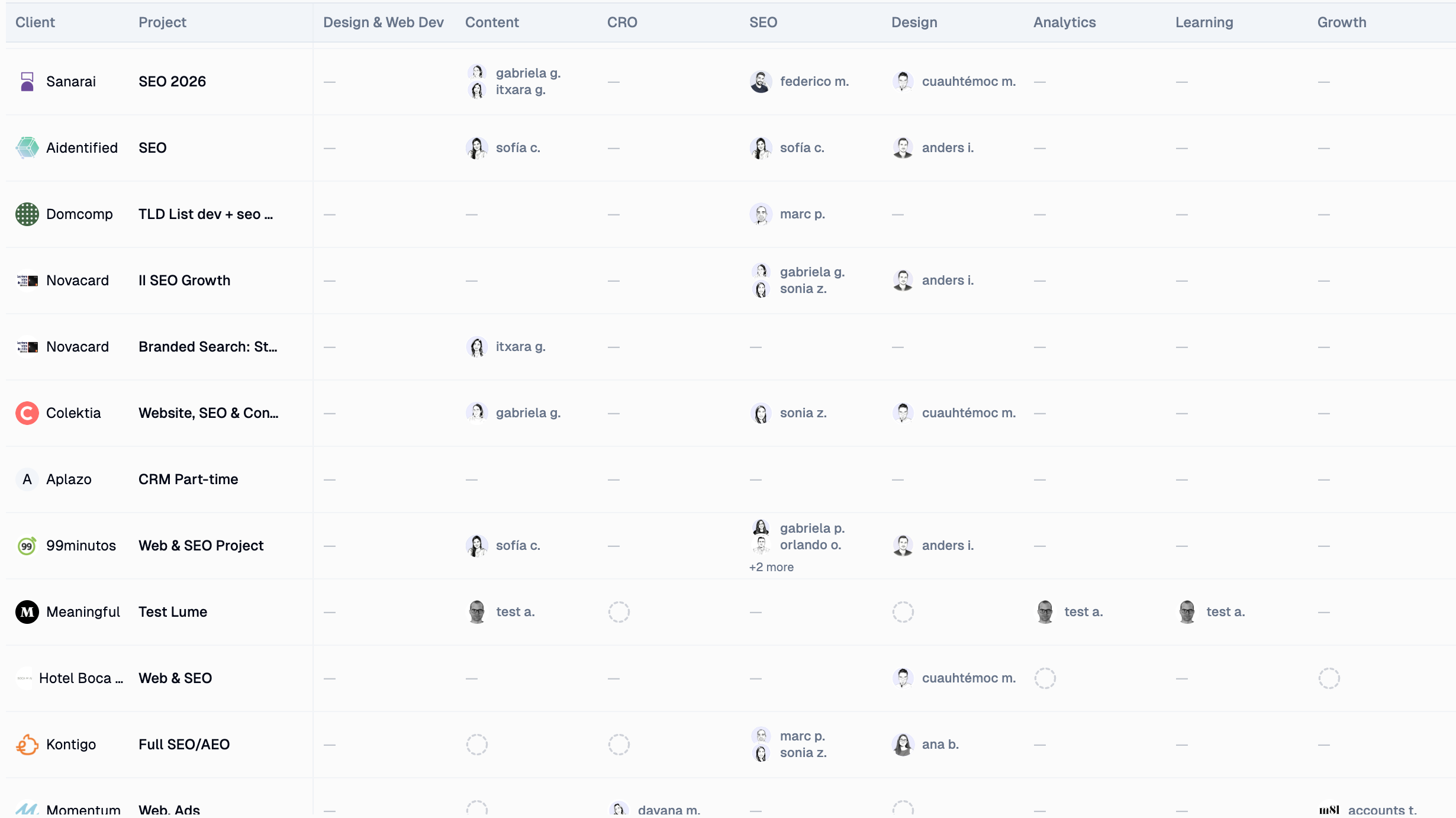
A new matrix view showing who's assigned to which project — broken down by capability.
- Capability columns — see assignments grouped by skill (Design, SEO, Content, etc.)
- Frozen project column — project names stay visible as you scroll horizontally
- Filtered to active projects — completed and cancelled projects no longer clutter the view
- Bench section — see which team members are free, filter by time range and capability to find the right person for the job
Slack Integration
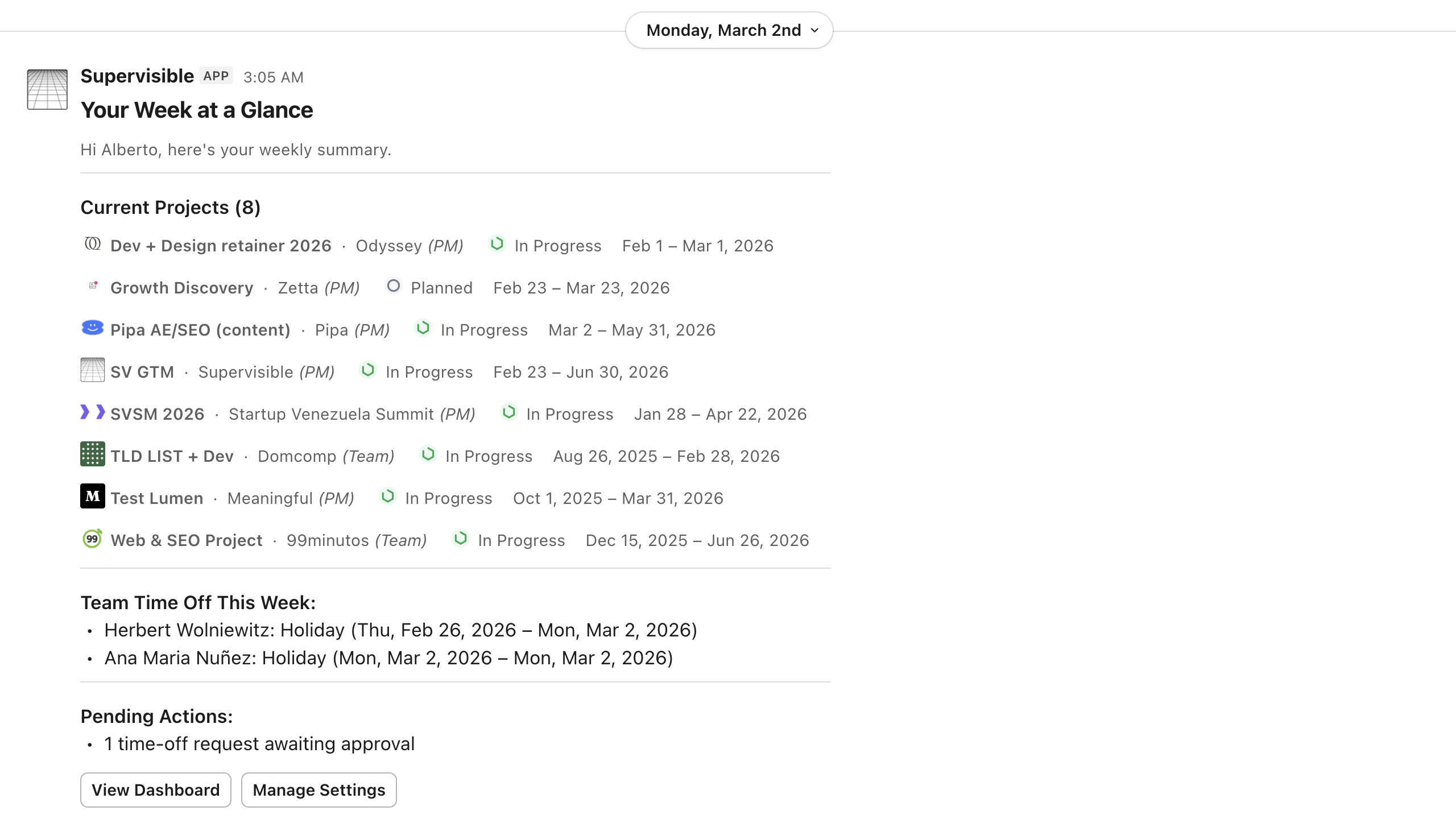
Supervisible now connects to your Slack workspace.
- Weekly digest DMs — every Monday, get a personal summary of your current projects, team time off, and pending actions
- Time-off notifications — requests, approvals, and bookings delivered as Slack DMs with dates and duration
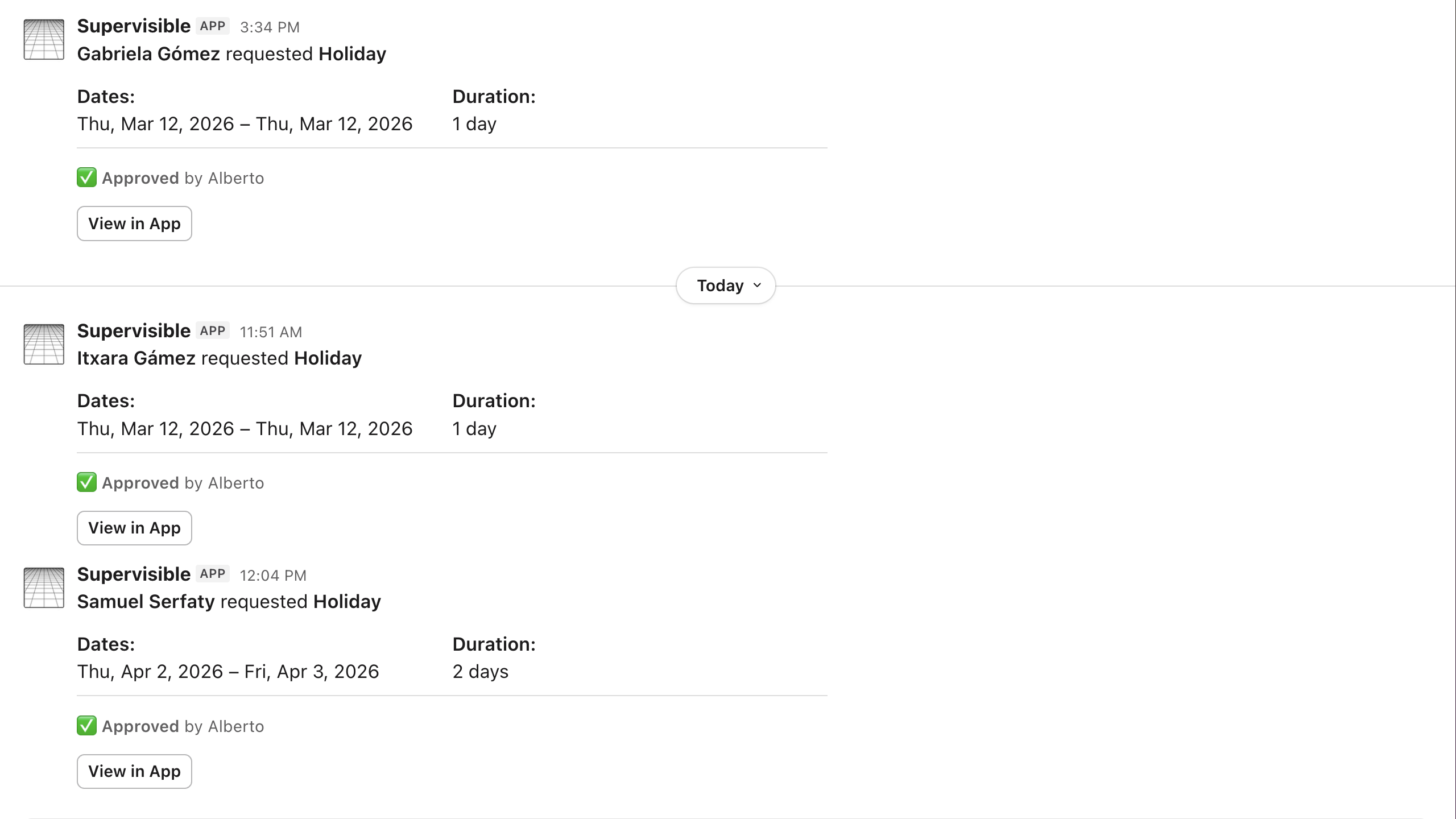
- Channel project digests — automatic project updates posted to the channels you choose
Bug Fixes & Improvements
- Workload table redesign — new layout with easier scanning of weekly hours and over-allocations
- Edit your own hours — regular users can now update their actual hours directly
- Current-week highlighting — locale-aware week calculations for all regions
- Accurate weekly availability — correctly reflects each cost settings period
- Completed & cancelled projects hidden — no longer clutter the workload view
- Notification deduplication — identical notifications suppressed within a 60-second window
- Avatars in search — user and client avatars now appear in the command palette
- Client view alignment — column headers now properly align with row data
- Time-off inspector — view requests directly from the inspector panel
- Assignment capability editing — fix for editing capability on unassigned rows